Build Your AI Second Brain. Or Let Us Build It.
Open-source starter kit for Claude Code + Obsidian. Six essential skills, comprehensive docs, and installation script — free on GitHub. Want it built FOR you? We do that too.
Heard about OpenClaw?
That's the demo. This is what you'll use every day.
Computer Use is impressive. Knowledge work is practical. Both use Claude. Both run in your terminal. One impresses for 5 minutes. The other improves your work for 5 years.
Sound Familiar?
You've tried the tools. You've watched the tutorials. Something still isn't clicking.
Your Knowledge Is Scattered
Years of expertise, client notes, and insights spread across apps you don't own. When you need something you wrote six months ago, you can't find it.
AI That Forgets Everything
Every conversation starts from zero. ChatGPT doesn't know your clients, your past decisions, or what you were working on yesterday. You end up re-explaining your own business to a tool that should already know.
Too Many Tools, None Connected
You're paying for a dozen subscriptions that don't talk to each other. Notes in one app, tasks in another, AI in a third. The tools multiply but your workflow stays fragmented.
Systems That Didn't Stick
You built a Notion setup. Or a Roam graph. It worked for two weeks. Then life happened and the system collected dust. The problem wasn't you — the system wasn't built for you.
The Minervia Method
Pointing AI at a folder is just the beginning. Minervia goes further — skills, agents, automation, and persistent context working together as a co-operating system. On your machine, with your files, designed to evolve as AI advances.
Memory
Plain text files stored on your machine. Client notes stay confidential, your thinking stays private. No cloud lock-in, no third-party access. Your data doesn't leave your device unless you send it.
Intelligence
AI that co-operates with you — reading your files, knowing your clients, learning how you work. Not a generic chatbot. A collaborator that gets smarter as AI advances, without rebuilding your system.
Connections
Your tools linked together. Email, calendar, CRM, and files all feeding into one unified system.
Automation
Workflows that run on autopilot. From draft emails to project updates to weekly reports.
What Changes
From scattered tools and stateless AI to a system that knows your work and gets stronger over time.
Before
- Switching between 6 apps to find something you wrote months ago
- Feeding the same context into ChatGPT every single conversation
- Forgetting what you decided, losing the insight that came at 2am
- Paying for a stack of subscriptions that still don't work together
After
- An AI collaborator that's already read your files
- Every client note, project, and idea searchable in seconds
- A system that gets stronger as AI models improve — no rebuild needed
- Your files on your machine — no vendor lock-in, client data stays confidential
Real examples from the system
"Summarize my client notes from this week"
Done. With follow-up actions flagged.
"Draft next week's newsletter from my research"
Written in your voice, from your notes.
"What's the status on all active projects?"
Full report, pulled from your vault.
"Reply to this email in my usual tone"
Drafted. Matches your style exactly.
"I feel like after 20 years it might actually be possible to do GTD properly!"
Maya Middlemiss — Founder, Remote Work Europe
Maya tried every productivity system for two decades. In five days of guided implementation, she had a working second brain — built around her actual workflow, not a template. She helped validate the methodology that became the Minervia starter kit.
Learn to Build It Yourself
Pointing AI at a folder is just the beginning. This course teaches you to build the full system — memory, agents, skills, and automation — so your AI actually knows your work.
System DNA
CLAUDE.md, SOUL.md, and vault architecture. Teach your AI who you are, how you work, and what matters. Your notes become its memory.
Agent Orchestration
Delegate complex work to specialized agents. MCP connections, multi-agent workflows, and knowing when to hand off vs. do it yourself.
Skills & Automation
Build repeatable commands for your recurring work. Hooks, CLI tools, and the prompt-delegate-automate loop that compounds over time.
Build Your System
Week-by-week implementation. You leave with a working second brain — not a collection of notes about how one might work someday.
Live sessions. Small cohort. Real implementation.
Join the waitlist — early access pricing for founding members.
Your Path to a Second Brain
Start with the open-source kit. Or skip the setup and get it built for you.
DIY Starter Kit
Everything you need to build your own AI second brain.
- 6 essential skills (log-to-daily, weekly-review, think-first, etc.)
- Comprehensive setup guide (~10,000 words)
- Installation script for automated setup
- Your First Conversation walkthrough
- Week 1 progressive learning guide
- Issue templates for support
Free on GitHub
Get the Starter KitDone-With-You Implementation
We build your complete second brain together — customized for your work.
- Discovery session to map your workflow
- Full system design for your business
- Obsidian vault setup and structure
- Custom AI configuration and agents
- Integrations and automations (email, calendar, etc.)
- Hands-on training sessions
- 2 weeks of follow-up support
From €1,500
Book Discovery CallCustom Systems
Fully custom second brain built around your exact needs.
- Everything in Done-With-You
- Advanced agent development
- Custom MCP server integration
- Workflow automation pipelines
- Priority support and ongoing optimization
- Monthly retainer available
From €3,500
Book Discovery CallHow It Works
From first conversation to a running system. Four clear steps.
Discovery Call
We talk about your work, your tools, your frustrations. We learn how you think and what you need.
System Design
We map your workflows and design a Minervia architecture tailored to your business.
Build & Configure
We build your vault, configure your AI, connect your tools, and set up your automations.
Handoff & Training
You learn how to use your new system. We make sure you're confident before we step back.
The People Behind the System
Built by people who use it every day to run their own business.

Jim Christian
Creator & Systems Architect
I built my own second brain — Cerebro — to run my newsletter, consulting practice, and creative work. Minervia is that system distilled into an open-source starter kit. The free repo gives you the foundation, and if you want help building it out, I'm available for that too.
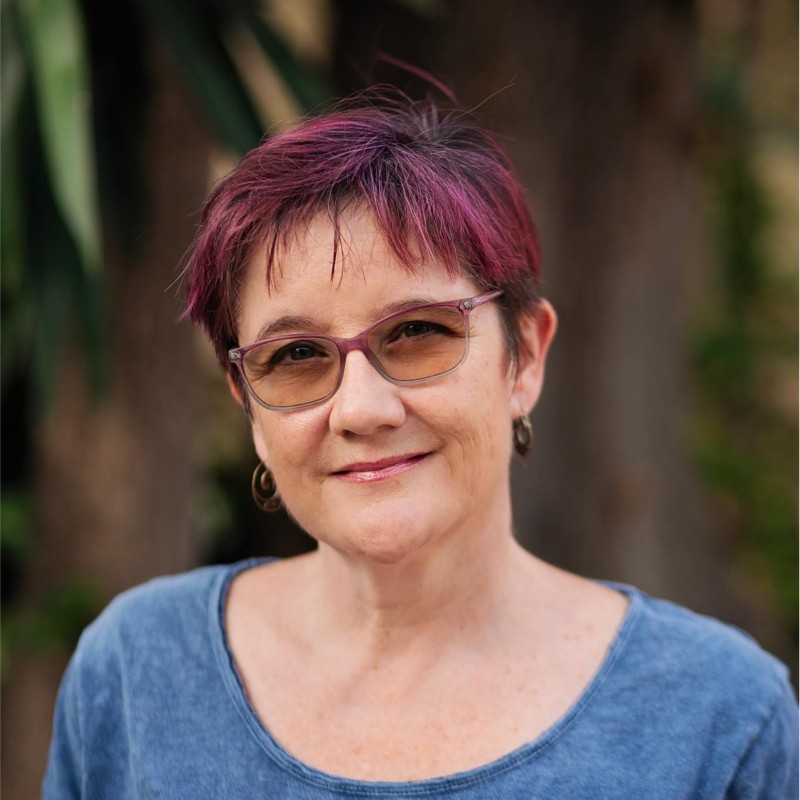
Maya Middlemiss
First User & Remote Work Expert
Founder of Remote Work Europe and a 10+ year advocate for distributed work. Maya was Client #0 for Minervia — after 20 years of productivity systems that never stuck, she had a working second brain in 5 days. Her feedback shaped what went into the starter kit and proved the methodology works.
Questions You Might Have
Do I need to be technical?
What tools do I need?
How long does the setup take?
What if I'm not sure this is right for me?
I already use AI with my Obsidian vault. Why do I need this?
Is this just for content creators?
Do I own my data?
Ready to Build Your Second Brain?
Let's talk about your work and figure out the right system for you.
Book a Free Discovery Call30 minutes. No commitment. No pitch deck.